
Operations leaders planning a technology rollout

Solutions / Workflow automation

Automation built around the operation.

Explore workflow automation, portals and integrations around the processes your team needs to improve. Richard Gaubert helps frame the business requirement and coordinate the appropriate technical conversation.

For the operator and the technology leader

One business problem. Two sides of the decision.

The COO asks

Will this reduce handoffs, clarify ownership and work across our locations?

The CTO asks

What must connect, who owns the data and how do we deploy without replacing the core?

The automation opportunity

Automate the work between systems.

Workflow automation, integration and mobile access built around the operational process, starting where manual effort costs the most.

01 / Workflow

Turn manual steps into connected work.

Intake, referrals, scheduling and data processing are the kinds of complex workflows the software approach is built to simplify.

First conversation: Identify the people, exceptions and handoffs before deciding what to automate.
02 / Integration

Connect what is already there.

ERP, CRM and EMR integrations bring existing systems into the workflow. Integration options depend on each system and are assessed during scoping.

First conversation: Map data sources, permissions and integration constraints with the technical owner.

03 / Operational visibility

Make the next action visible.

The published Cimarron Energy work automated device-event data aggregation into an Azure Data Warehouse, with real-time customer dashboards and alerts.

First conversation: Define the information operators and customers need, then the action each alert should trigger.

Cimarron Energy example: published work by ContentActive.

Before the first workflow

Where is the organization ready for AI?

Six dimensions help frame a practical first opportunity and the people who need to be involved.

01

Strategy

02

Data

03

Infrastructure

04

Workflows

05

Talent

06

Governance

How it works

A practical path from workflow challenge to implementation discussion.

Understand the Process

Identify the task, people, systems and handoffs involved.

Frame the Opportunity

Discuss the operational impact, requirements, constraints and measures of success.

Coordinate the Next Step

Bring the appropriate business and technical stakeholders together to assess scope and feasibility.

Common topics

  • Manual intake
  • Approvals
  • Duplicate entry
  • Portals
  • ERP, CRM and EMR integrations
  • Operational dashboards
  • Web and mobile applications

Healthcare administration

Intake, referrals, scheduling and provider information spread across systems.

Industrial & manufacturing

Device and operational data, field reporting and alerts that need a clear next action.

Logistics & transloading

Portals and mobile apps for administrators, clients, drivers and warehouse teams.

Government & institutional

Check-in, registration and administrative workflows with secure oversight.

Selected implementation examples from ContentActive

Portals and apps built for the operation.

These examples illustrate delivery-provider capabilities. Richard can help coordinate a conversation about your organization’s requirements.

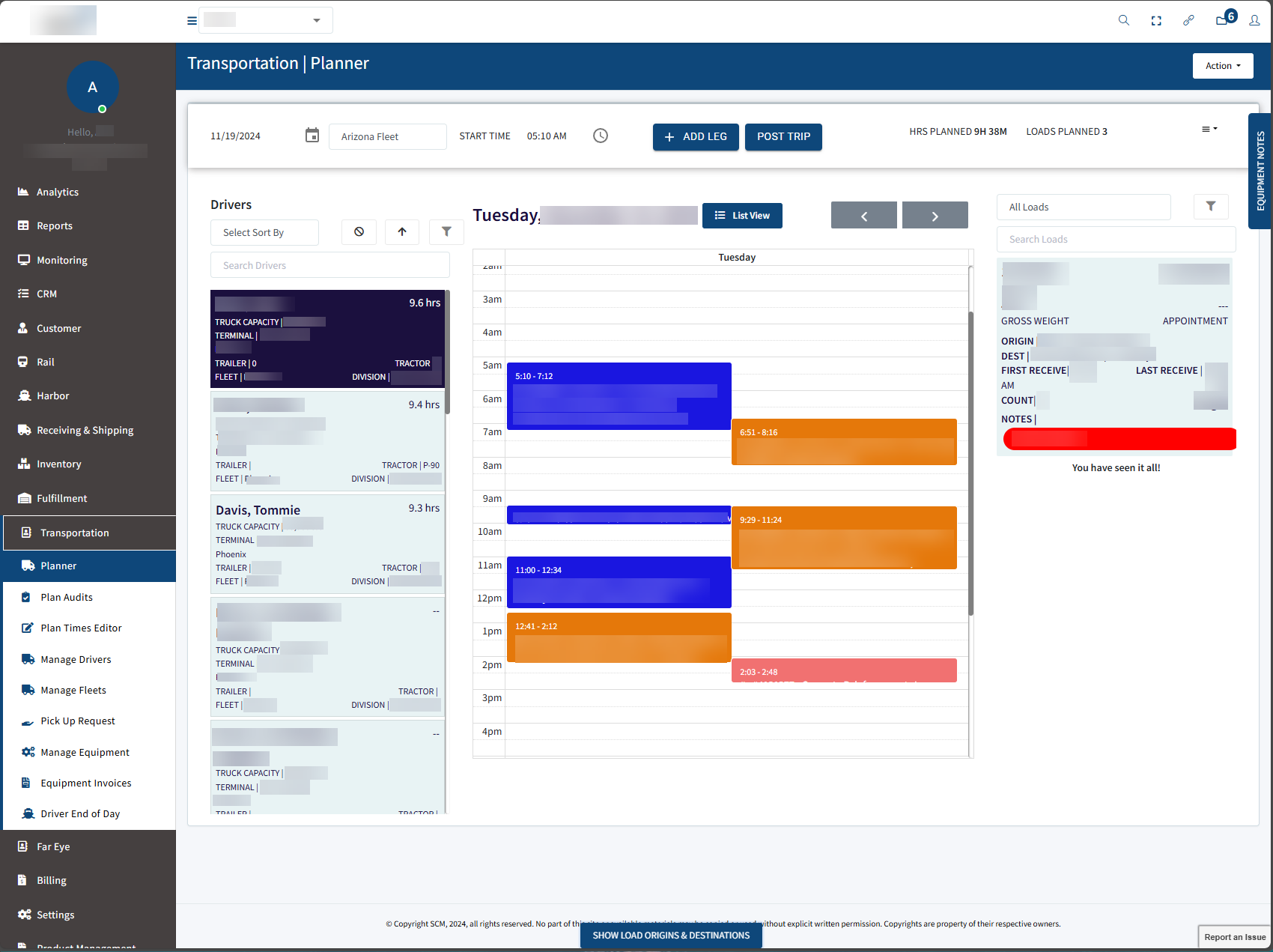
TransloadPro transportation planner screen

Logistics & transloading

MHX / TransloadPro

Modernized a legacy system with an administrator portal, client portal, 3PL portal, xDock app, driver mobile app and warehouse app.

Published approach: Phased, progressive development rather than a complete system overhaul.

Source: ContentActive
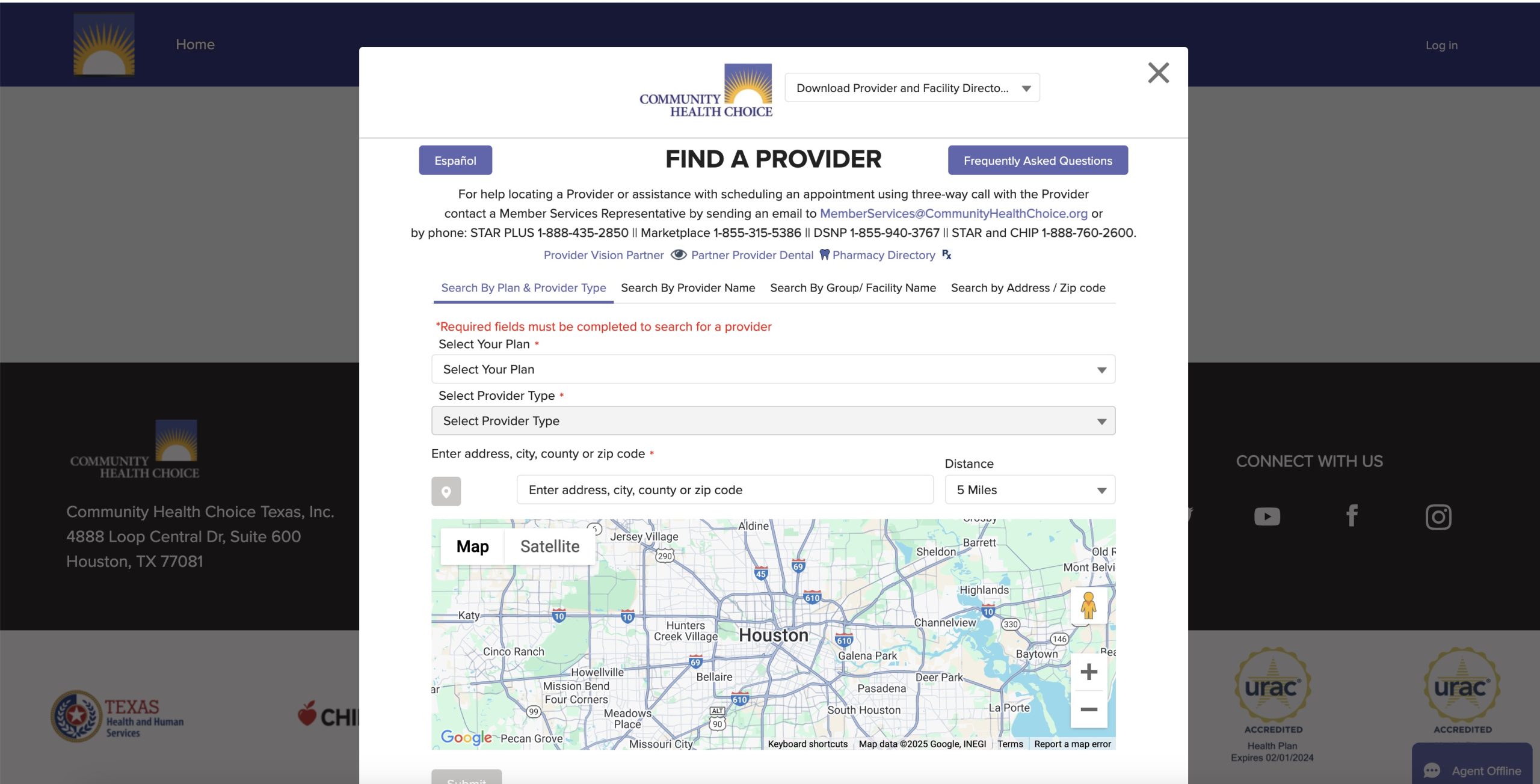
CHC Health provider-directory search screen

Healthcare administration

CHC Health provider directory

A web portal that connects multiple legacy systems to help members search for doctors and specialists available in their plan.

Published approach: Data discovery, a data warehouse, third-party integrations and a search and provider directory.

Source: ContentActive
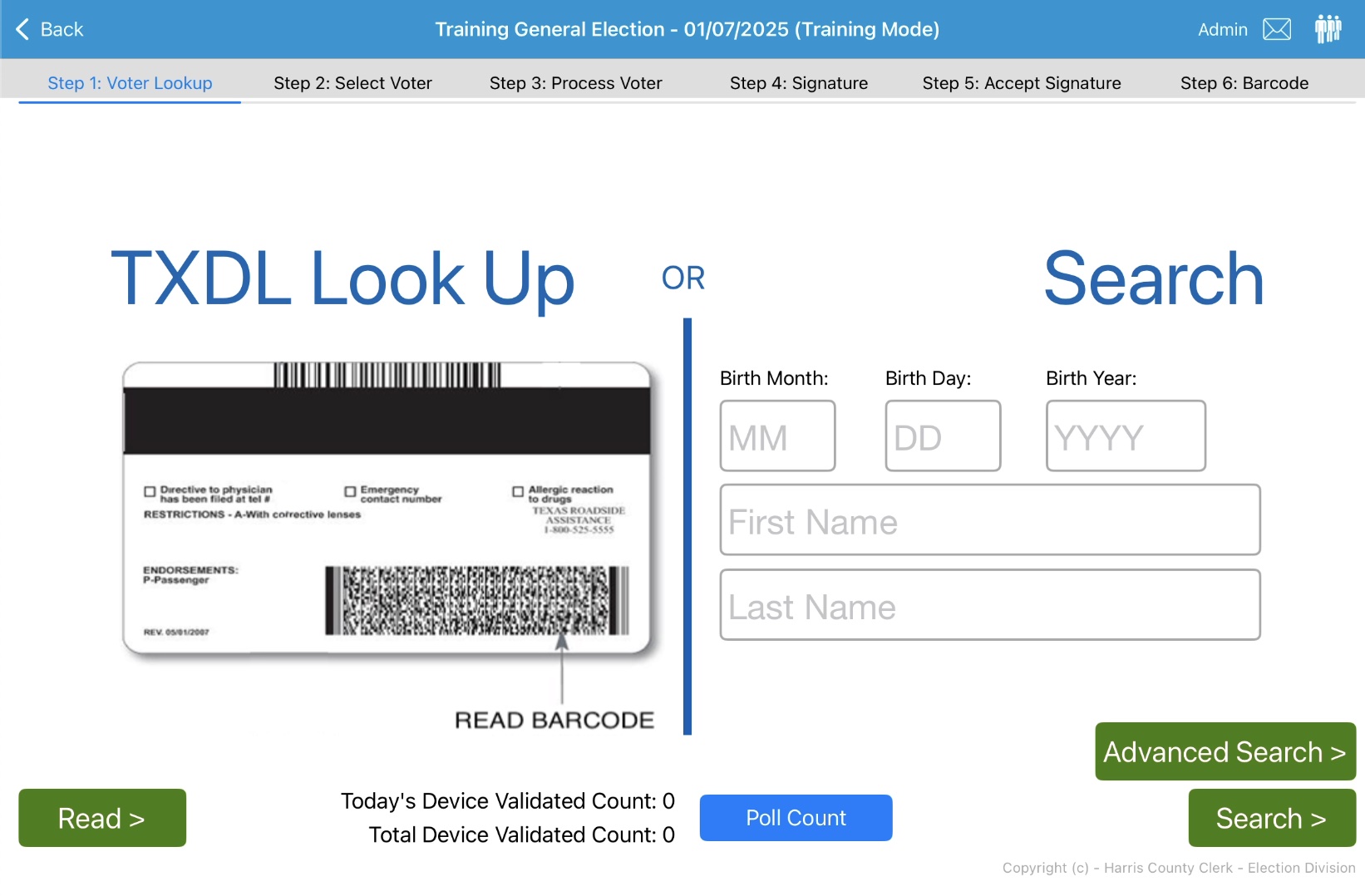
Harris County electronic pollbook barcode check-in screen

Election check-in

Harris County ePollbook

An Electronic Pollbook Voter Registration and Check-In system using barcode scanning technology to scan drivers licenses.

Published approach: An iPad-to-iPad sync system and a live secure console for election administrators.

Source: ContentActive

From pilot to portfolio

Start narrow. Scale deliberately.

A focused first workflow shows what works for your team before broader platform decisions are made.

  1. 01

    Find the friction

    Name the costly handoff and who owns it.

  2. 02

    Scope the first win

    Map systems, users, security and acceptance criteria.

  3. 03

    Prove adoption

    Review usage, exceptions and operational feedback.

  4. 04

    Expand with intent

    Extend what works to adjacent teams or locations.

Workflow inquiry

Which process needs to work better?

Describe the process and the systems involved. Please do not submit patient, voter or other sensitive records.

A direct conversation about the operation.

Selling a technology product or entering new markets? Explore Growth Services.

Please do not include sensitive records. Your information is used to respond to your request and may be shared with an appropriate technology provider.